Wispr Flow, reverse engineered with REA
Static analysis of Wispr Flow 1.6.1102 on Windows, and flowlite: a small local rebuild. 2026-10-11.
Reference: the video “How To Use REA To Clone Any Software In Minutes” by Eric Tech.
Teardown report
How Wispr Flow captures speech, gets transcription from its servers, and pastes text into other apps. Each claim is marked proven, inferred, or hidden. Section 7 reads the helper's paste code with Ghidra.
The Ghidra pass
Why Ghidra did not run at the start, its role, what it proved in the helper, the consequences for the findings and for flowlite, and the open items.
Development journey
The full session record: how REA was used and where it failed, every error, the rebuild, and the test receipts.
Code and receipts
- flowlite/flowlite.py: hold F9, speak, release; text is pasted into the focused app.
- flowlite/receipts/: end-to-end test scripts, log, and screenshot.
- tools/: ASAR extractor and offset search used for the teardown.
- How to run flowlite: steps and limits.
How to run flowlite
flowlite runs on Windows with Python 3. It was tested with Python 3.13.5.
- Get the code:
git clone https://github.com/az9713/wispr-flow-rea-teardown
cd wispr-flow-rea-teardown\flowlite
- Install the libraries:
pip install faster-whisper sounddevice keyboard pyperclip numpy
- Optional: run the self-test. It transcribes the test file and pastes nothing:
python flowlite.py --test test.wav
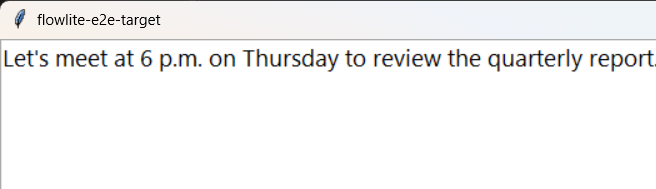
The correct output is:Let's meet at 6 p.m. on Thursday to review the quarterly report. - Start flowlite. A normal PowerShell window is enough; you do not need administrator.
python flowlite.py
- Wait for
Ready. Hold F9 and speak. Ctrl+C to quit.The speech model loads before this line appears. On the first run, thebase.enmodel downloads. - Click into the app where you want the text, such as Notepad, a browser text box or chat.
- Hold F9, speak, then release F9.
- The text is pasted at the cursor, with one space after it. The console also prints a line like
3.2s audio, 0.85s ASR, notepad -> ctrl+v, restore 0.5s: '...'. - To stop flowlite, click the console window and press Ctrl+C.
What to expect
- Model and speed: flowlite uses the
base.enmodel on an NVIDIA GPU with CUDA (float16). If CUDA fails, it printsCUDA failed (...); using CPUand runs on the CPU (int8), which is slower. In the recorded test, 5.1 s of audio took 0.85 s to transcribe on a laptop GPU with 4096 MiB. - Language:
base.enunderstands English only. - Short presses: a press shorter than 0.25 s is ignored.
Limits
- F9 also reaches the app. flowlite does not block the key. If an app uses F9 for something, that action also happens.
- Paste keys. flowlite presses Ctrl+V. In VS Code, Cursor and Windsurf (process names
Code,Cursor,Windsurf) it presses Shift+Insert, as Wispr's helper does when itsshift-insertflag is on. If you hold Ctrl, Shift, Alt or Windows, flowlite waits up to 2 s for you to release it. - The clipboard is changed for a short time. flowlite copies the text and presses the paste keys. It puts the old clipboard text back after 0.5 s; after 3 s for Outlook, Word and WhatsApp; after 5 s for remote-desktop apps such as
mstscand AnyDesk. It does not restore if the clipboard changed meanwhile. If the clipboard held an image or formatted text, that content is lost. An app that reads the clipboard after the delay pastes the old clipboard. - Administrator windows: flowlite cannot paste into an app that runs as administrator unless the console also runs as administrator.
- Microphone: flowlite records from the Windows default input device. To use a headset mic, set it as the default in Windows Settings > System > Sound > Input.
- Not yet tested with a live voice. All passing tests fed a recorded WAV directly into the program. Two tests that played speech from the speakers into the laptop mic both gave empty text (
''). If you also get empty text, speak closer to the mic or use a headset mic.