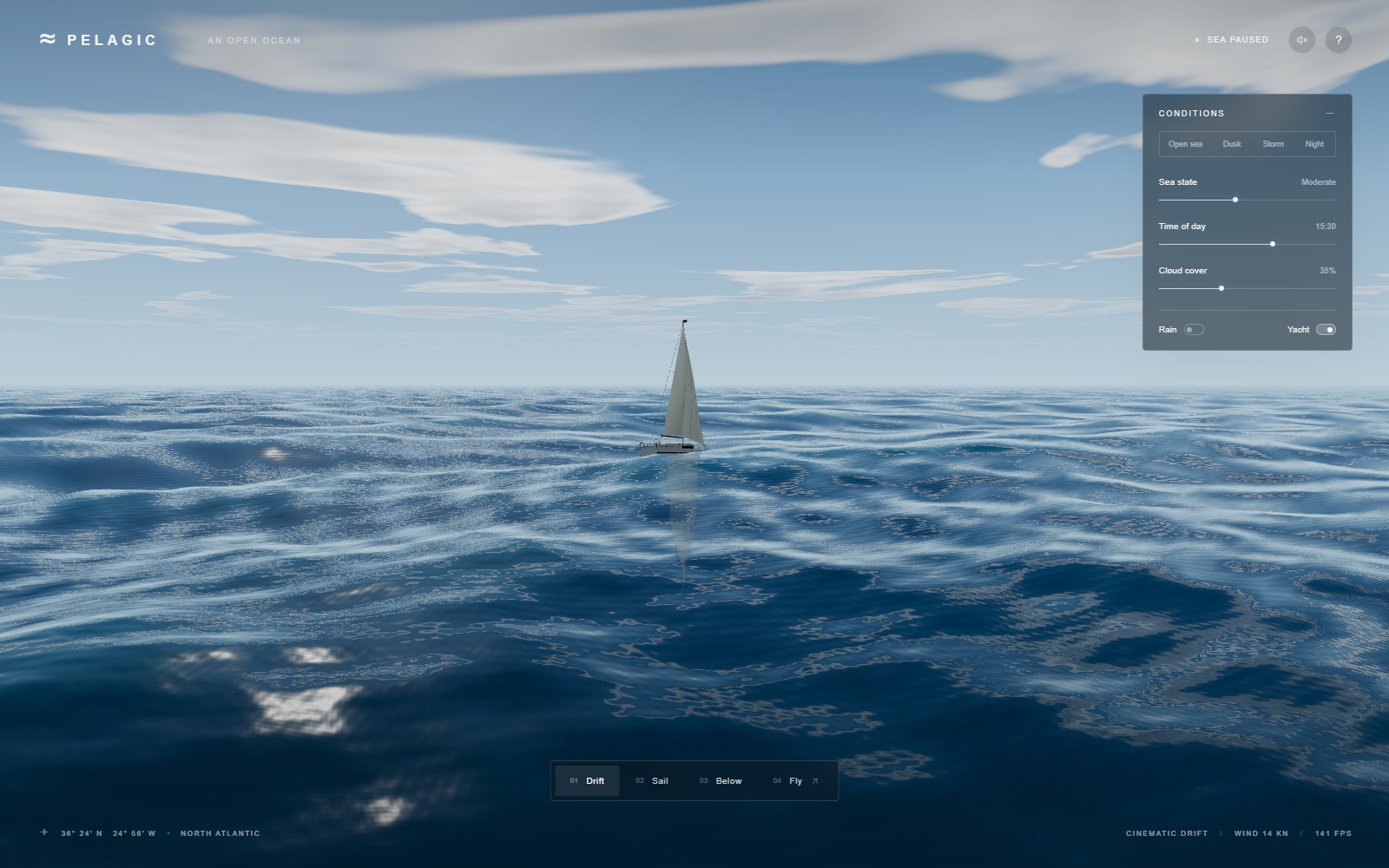
01 / THE TOOLS
What runs where?
Rendering means turning a description of a scene into an image. The browser repeats that work as time advances. There is no ocean video playing in the background and no AI model generating each frame.
- HTML + CSS
- Structure and styling for the menus, buttons and learning pages.
- JavaScript
- Runs the controls, camera, clock and yacht positioning on the CPU, the computer's general-purpose processor.
- Three.js 0.180.0
- A JavaScript graphics library that organizes objects, cameras and drawing. The water's appearance is custom code, rather than a ready-made ocean material.
- WebGL 2 + GLSL
- WebGL 2 lets the browser ask the GPU, its parallel graphics processor, to draw. GLSL is the language used for the small GPU programs called shaders.
- Vite 7.3.5 + GitHub Pages
- Vite prepares JavaScript, styles and HTML for publication. GitHub Pages serves those static files. There is no application server or API key needed to play.
Node.js and npm are build tools, not required by someone opening the live game. The marked package converts the development journey's Markdown to HTML; it does not draw the ocean. Versions above describe this repository's package file, not a claim about the latest releases.
A shader has two main jobs here: a vertex shader moves the surface's corner points; a fragment shader calculates color for the tiny image samples the surface covers. Think “where does it go?” followed by “what color should it be?” The two run many times in parallel. MDN explains these stages; Three.js exposes them through ShaderMaterial.
02 / SOMETHING TO BEND
The ocean starts flat.
A mesh is a connected set of triangles. Each corner is a vertex; its three coordinates locate it in space. Here x and z run along the ground, while y is height.
The normal high-quality path creates 380 divisions in each direction: 145,161 vertices and 288,800 triangles. The grid is stretched so more of those points stay near the viewer, where shape is easiest to see.
See the actual mesh construction
const segments=quality==='high'?380:260;
const g=new THREE.PlaneGeometry(2,2,segments,segments);g.rotateX(-Math.PI/2);
const p=g.attributes.position;
for(let i=0;i<p.count;i++) {
 let x=p.getX(i),z=p.getZ(i);const r=Math.max(Math.abs(x),Math.abs(z));
 const scale=105+Math.pow(r,3.0)*9200;
 p.setXYZ(i,x*scale,0,z*scale);
}
g.computeBoundingSphere();
PlaneGeometry builds the grid. Rotating it by a quarter-turn lays it on the ground. The loop stretches points farther from the center more strongly. This is one fixed mesh with uneven spacing—not a mesh that adds triangles automatically as you fly.
The grid follows the camera in three-unit steps, but wave timing uses positions in the shared world. This helps prevent the wave pattern from sliding along with the viewer. The mesh covers a large finite area; it is not an infinite volume of water.
03 / THE MOVEMENT
One wave is simple.
Several feel like a sea.
A smooth repeating rise and fall is a sine wave. Its amplitude is its height above the middle; its wavelength is the distance from one crest to the next. The phase tells us where we are within one repeat.
const phase = k * x - omega * time;
const height = amplitude * Math.sin(phase);
x is distance. k = 2π / wavelength converts distance into a position around the repeating cycle. omega is how quickly that phase advances per second. Increasing time makes the pattern travel.
The project uses Gerstner waves: a wave model that moves points sideways as well as up and down, producing sharper crests and broader troughs. Ten waves travel in different directions, with wavelengths from 116 to 1.9 world units. Their displacements add together. The world is treated roughly as meters.
A uniform is a value JavaScript sends to a shader for a whole draw, such as time (uTime) or sea state (uSea). In the excerpt below, dir is a two-number travel direction; dot measures how far a position lies along that direction. position.xz + uCameraXZ is the point's location in the world. p is the point being moved.
float a=amp*scale*distanceFade;
float f=k*dot(dir,position.xz+uCameraXZ)-freq*uTime+phase;
float s=sin(f),c=cos(f);
float q=steep/(max(scale,.2));
p.xz+=q*a*dir*c;p.y+=a*s;astarts with the base amplitudeamp, multiplies by the sea-statescale, then fades with distance throughdistanceFade.fcombines position withfreq, the phase speed, andphase, a per-wave starting offset.sandcare sine and cosine: matching repeating patterns offset by a quarter cycle.steepsets the sideways amount;qlimits it as sea height grows. The final line adds sideways motion top.xzand vertical motion top.y.
Height, layers, direction.
This is a simplified 2D slice using the first three real wave definitions. It omits sideways motion, distance filtering, and 3D shading. It starts still.
Animation is optional. You can inspect the lesson with sliders and Step once.
The orange arrows are normals: directions pointing straight away from a small patch of surface. They are the bridge from shape to lighting. A steeper wave turns those directions, so it reflects different parts of the sky.
A little more math: sea state, speed and the clock
The same nonlinear height scale drives the CPU height sampler and GPU waves:
float scale=.028+pow(uSea,1.55)*2.65;pow(uSea, 1.55) means “raise sea state to the power 1.55.” Higher values produce increasingly large swells. This is an artistic control, not a measured wind-speed model.
Each wave's angular frequency is sqrt(9.81 * k). This comes from a deep-water wave relationship: different wavelengths travel at different speeds. The horizontal steepness limit and extra detail waves are artistic choices, so the entire scene is not a full physical ocean model.
const elapsed=(now-lastNow)/1000;lastNow=now;const dt=Math.max(0,Math.min(elapsed,.05));
if(!state.paused)simTime+=dt;
dt is elapsed time in seconds, capped at 0.05 per frame. It avoids a giant simulation jump after a stall. The tradeoff: sufficiently slow frames make simulation time fall behind real time. Most waves are evaluated directly from position and time, rather than repeatedly pushing a stored water surface forward.
04 / THE WET PART
Blue geometry is not enough.
The same shape could look like blue plastic. Water becomes convincing when its reflection changes with the viewing angle, small ripples disturb that reflection, and crests catch light differently from troughs.
First, find which way the surface faces.
The wave code also calculates two tangents—directions running along the surface, one across each ground axis. Their cross product gives a direction perpendicular to both. normalize scales it to length one, keeping the direction. That produces a normal for lighting.
vNormal=normalize(cross(dz,dx));
vBreaking=1.0-(dx.x*dz.z-dx.z*dz.x);
dx and dz are those tangents; vNormal passes their result toward the color calculation. The second line measures horizontal squeezing, a cue reused for foam. Six additional short waves then perturb the lighting normal without moving the mesh's vertices. They add close-up sparkle, but cannot change the horizon's silhouette.
Then, decide how much sky to see.
Fresnel reflection is the angle effect you know from a puddle: look down and you see more of the water's body; look along it and you see more reflected surroundings. Here N is the surface normal and V points toward the viewer. Their dot product is near 1 when viewed straight on and near 0 at a grazing angle.
float NoV=clamp(dot(N,V),.001,1.0);
float fresnel=.0204+.9796*pow(1.0-NoV,5.0);
vec3 rd=reflect(-V,N);rd.y=max(rd.y,.003);
vec3 reflected=atmosphere(normalize(rd),false);
clamp bounds a value. pow(1.0-NoV, 5.0) raises the angle term to the fifth power; this is a cheap Fresnel approximation. reflect finds the mirrored viewing direction. atmosphere asks what color the procedural sky has in that direction. The following shader code blends this sky color with a dark-blue water body, then adds highlights, foam and haze.
A SECOND SMALL EXPERIMENT
Look down. Now look across.
This bar shows the shader's angle weight only. It is not a rendered water pixel or a measurement of the whole scene's brightness. At 0° you look straight at the surface; near 85° you skim across it.
Finally, make the cues agree.
The water's body is tinted dark blue to suggest light being absorbed with depth. Thin crests get extra blue-green light when backlit. A tight sun highlight spreads as the roughness setting rises. A fixed moon direction supplies a separate night reflection. Haze blends distant water toward the horizon color, hiding hard distance boundaries.
The yacht uses a different reflection trick: a camera mirrored across the flat sea level renders nearby objects into a small off-screen image, called a render target. The water samples that image and distorts it using its normal. This is a flat-plane approximation; it does not trace every curved wave's reflection accurately.
Tone mapping compresses very bright calculated colors into the screen's displayable range. This renderer selects Three.js's ACES filmic tone-mapping curve and outputs sRGB, the standard display color encoding. These choices keep highlights and dark water readable; they do not replace the lighting model.
05 / THE WHITE DETAILS
Foam is placed, not poured.
A mask is simply a weight saying where an effect should appear. Here foam combines masks for squeezed crests, sea state, wave height, and distance. Noise means a repeatable irregular pattern generated with math. Layering several scales of it breaks a white stripe into patches.
mix(a,b,t) blends from a to b as t goes from 0 to 1. smoothstep(a,b,x) changes smoothly from 0 to 1 between two thresholds. Multiplying masks means all their conditions must contribute for foam to show.
See the actual crest-foam mask
float threshold=mix(.34,.19,uSea);
float crestGrain=noise2(vec2(dot(p,vec2(.92,.39))*.48,dot(p,vec2(-.39,.92))*2.4)+vec2(uTime*.12,0));
float whitecap=smoothstep(threshold,threshold+.065,vBreaking)*smoothstep(.47,.72,foamNoise)*smoothstep(.35,.65,crestGrain)*smoothstep(.25,.75,uSea);
vBreaking is the squeezing cue from the normal calculation. foamNoise and crestGrain break up the pattern. A rougher sea lowers the threshold from 0.34 toward 0.19. Subsequent lines further restrict foam by height and distance. Despite its name, vBreaking does not model a wave physically overturning.
The wake is a moving pattern located relative to the yacht: two spreading arms, a central trail, and a small bow patch. Hiding the yacht also hides these masks. Water clicks add finite-lived expanding rings to the surface's lighting direction. Neither effect simulates a boat pushing a volume of water.
The yacht samples the same ten-wave height function at its center and at offsets along and across the hull. Those samples set its vertical position, pitch and roll, softened over time. Because Gerstner waves move points sideways, the CPU first estimates which original point ended up under the hull. It performs four inverse-position iterations before calculating height. This is surface-following animation, not a buoyancy-force or rigid-body solver.
06 / CONTEXT SELLS THE SCENE
A storm needs more than tall waves.
The Storm preset changes sea state, cloud cover, rain and time together. The Sea state slider alone does not summon rain or change the sky. Several independent effects share the same control values so they appear to belong to one place.
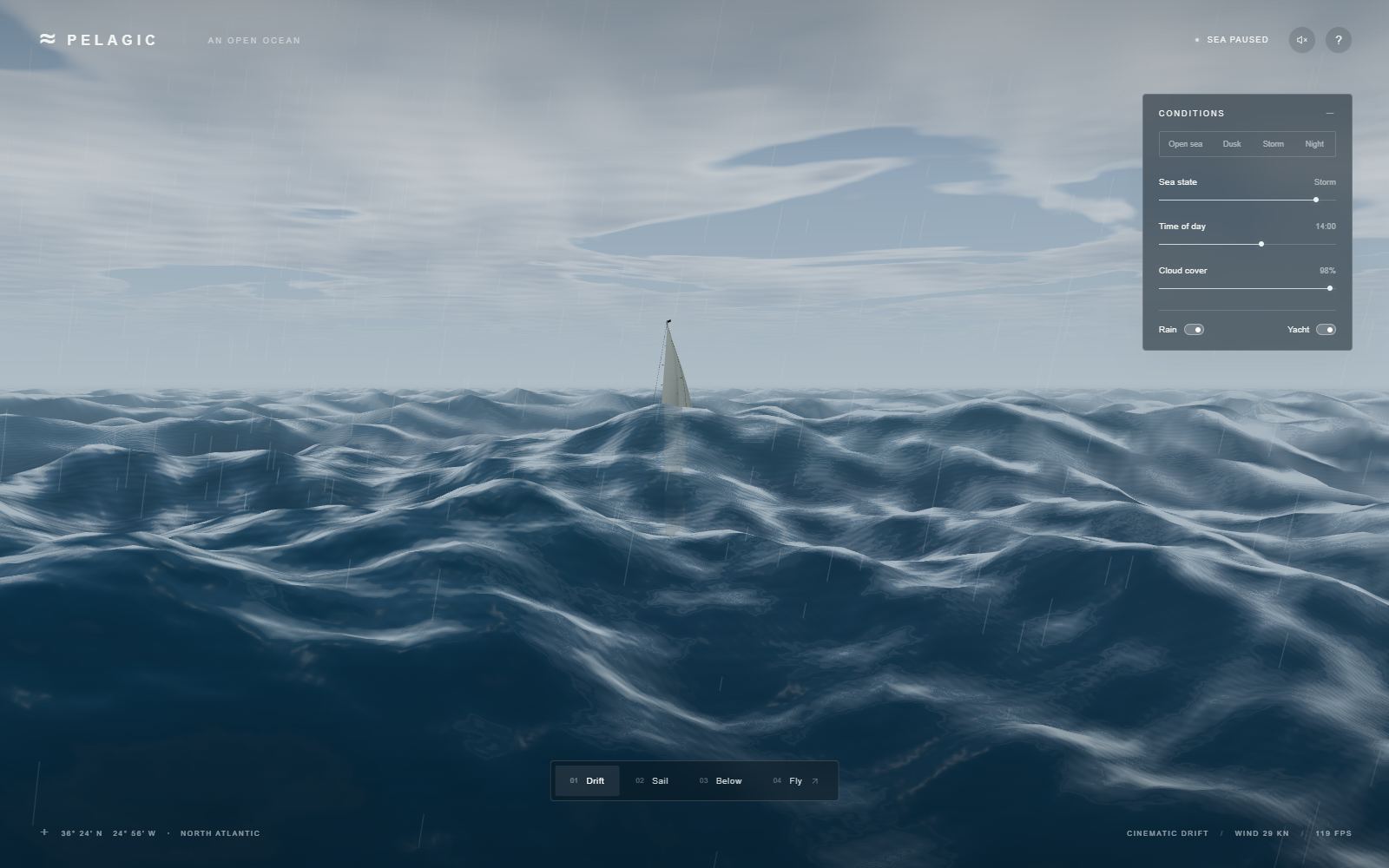
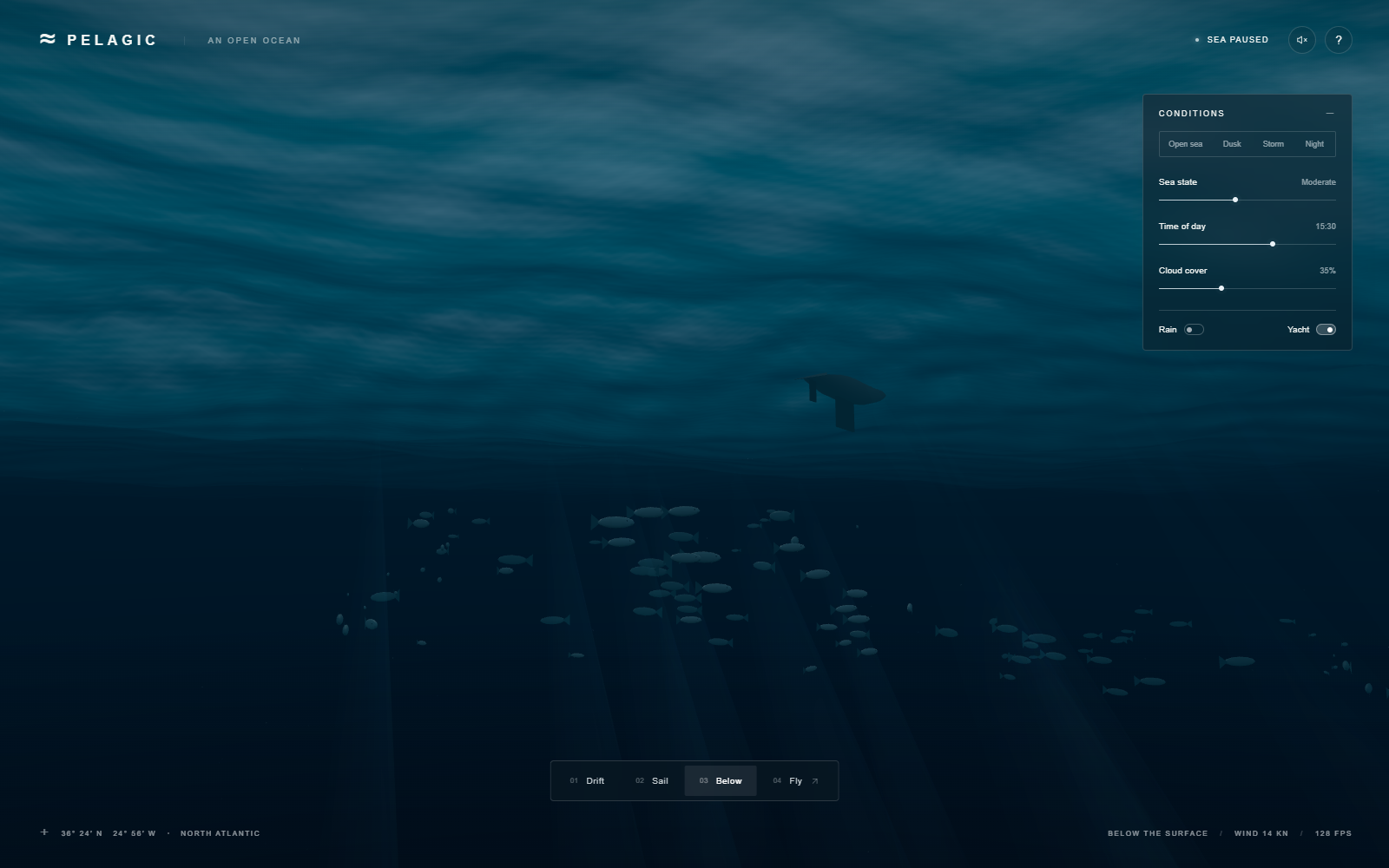
- Sky and day/night
- The time slider changes the sun's direction and warm horizon colors. A large sphere around the camera displays that sky. Stars and a fixed-direction moon appear at night; this is not an astronomical sky model.
- Clouds and shadows
- Cloud shape comes from layered mathematical noise. The visible sky samples ten heights through a finite cloud layer, accumulating color and opacity. Water reflections use a simpler cloud calculation; surface darkening uses the cloud field as an approximate shadow.
- Rain and lightning
- 2,400 short line segments fall around the viewer and wrap back upward. A timed branching line and brightening of sky/water create lightning. There is no droplet collision or weather forecast behind the effect.
- Underwater
- The camera is tested against local wave height. Below it, distance fog, a tinted underside of the water, suspended particles, transparent light cones and 96 fish create depth. Fish reuse geometry with different transforms—called instancing—and follow scripted paths. The light cones are an illusion, not a calculation of every light ray bending through waves.
07 / WHAT THE MAGIC LEAVES OUT
Useful shortcuts. Real limits.
This is a procedural scene: rules create the visible patterns. It borrows useful physical relationships and adds artistic approximations. It is not a water-volume solver, does not use an FFT wave spectrum, and does not predict real sea conditions. An FFT is a fast way to combine many frequency components; this implementation directly adds ten chosen waves instead.
| Easy mistake | What happens—and what this code does |
|---|---|
| Keep tiny waves at every distance | Details smaller than a pixel shimmer or form false patterns, called aliasing. This renderer fades short geometry waves and normal detail with distance. That reduces the problem; it is not a guarantee of perfect filtering. |
| Choose a foam threshold by intuition alone | If it misses the actual range of the crest signal, the result is no foam or a white blanket. Inspect the measured signal and captures across calm and storm before tuning the threshold. |
| Use different coordinates for related effects | Camera-relative tiles, waves, shadows and wake can drift apart or show seams. Keep their positions and time consistent. The same issue explains why hull sampling must account for horizontal displacement. |
| Treat a fast test as a device guarantee | Screen resolution, graphics hardware and heat change the cost. Pixel density is capped at 1.5 here, but phone performance is still unverified. Headless-browser results are not physical-phone measurements. |
| Assume a local build proves the hosted app | Repository subpaths can break asset URLs. Vite uses relative asset paths here; check the actual deployed game, guide and images after publication. |
There is no claim that this is fully photorealistic or has proven superiority over another model's result. Clouds, fish, water highlights and yacht motion can still reveal the shortcuts. The important engineering lesson is to make geometry, light and motion consistent—and verify what actually renders.
KEEP EXPLORING
Go from the idea to the file.
- ocean.jsMesh, ten waves, surface directions, reflections, foam and wake.
- atmosphere.jsSky colors, cloud noise, sunlight and shared shader inputs.
- main.jsControls, clock, camera, reflection pass and rendering loop.
- yacht.jsBoat geometry and wave-following animation.
- objects.jsFish, particles, light shafts, rain and lightning.
Actual-source excerpts are extracted from repository files during the build. The wave plot is a labeled teaching simplification, not a second ocean renderer. All scene images above are actual project captures.
Try one deliberate change.
Open the ocean, then Settings. Keep the sky fixed while changing Sea state. Watch the large silhouettes first, then the highlights. Next try Dusk: the same water shape feels different because the light changed.
Play Ocean 3D Read the development journey